Address
By Arunkumar Ganesan on December 21, 2022
IntermediateYou can record the addresses associated with a Customer, Shareholder or a Sales Partner.
You can also add an Address as a standalone record without linking it to any of the entities listed above.
To access the Address list, go to:
Home > Offer > Masters > Address
Or You can create address directly from Customer by:
Home > Offer > Masters > Customer > Contact & Address > New Address
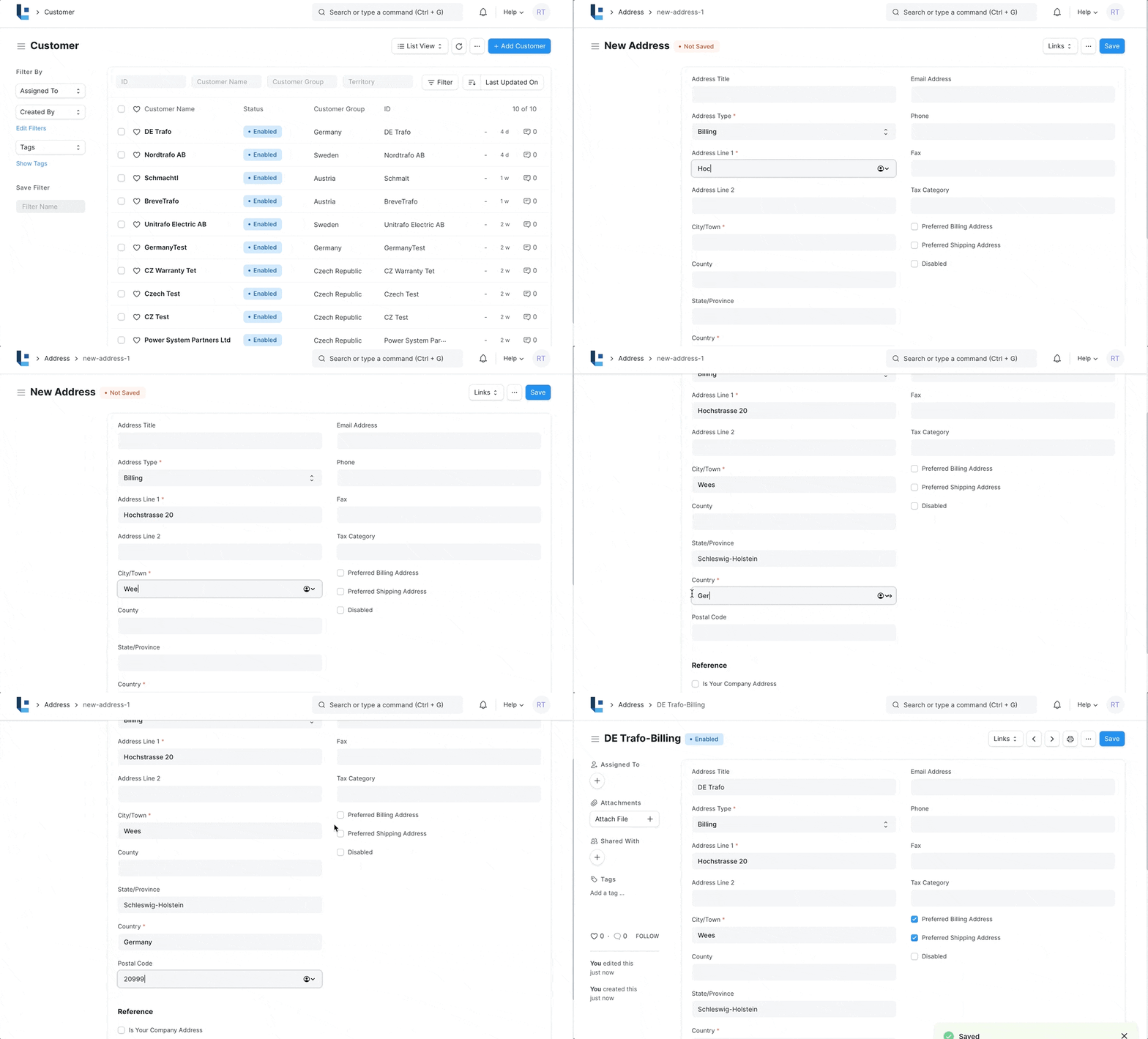
1. How to create an Address For a Customer
- Open any Customer and go to Contact & Address Tab
- Click on New Address.
- Select Address Type.
- Enter details in Address Line 1, Address Line 2, City/Town, County, State, Country.
- Enter Email Address, Phone and Fax.
- Link DocType and Link Name will be automatically populated to customer.
- Save.
2. Features
2.1 Link an Address to Multiple Entities
An address may be linked to multiple Customers or Sales Partners.
An address can also be linked to customers and Sales Partner at the same time.
2.2 Preferred Billing Address and Shipping Address
If you check 'Preferred Shipping Address', the address would be automatically added in the Shipping Address in Offer.
Similarly, if you check 'Preferred Billing Address', the address would be automatically added in the Billing Address in Offer
3. Related Topics
Was this article helpful?
No comments yet. Login to start a new discussion Start a new discussion