Variant Item
By Arunkumar Ganesan on December 25, 2022
BeginnerVariant Item is a subversion of the Template Item with specific configuration of the Item Attributes like High Voltage, Low Voltage, Vector Group, Impedance, etc.
A 10(kV) Transformer is a subversion of the Transformer DTTHZ2N. Variant Items let you treat the 10, 20 and 21(kV) versions of a Transformer as variations of one Item 'DTTHZ2N'.
To Access the Item Variants:
First Access Template Item:
Home > Offer > Item > enable the checkbox "Has Variants"
Choose from the filtered list of Template items
Enter inside the the Template Item and from the menu > View > Show Variants > Select the Variant from the list
1.2 Creating the Variant Item
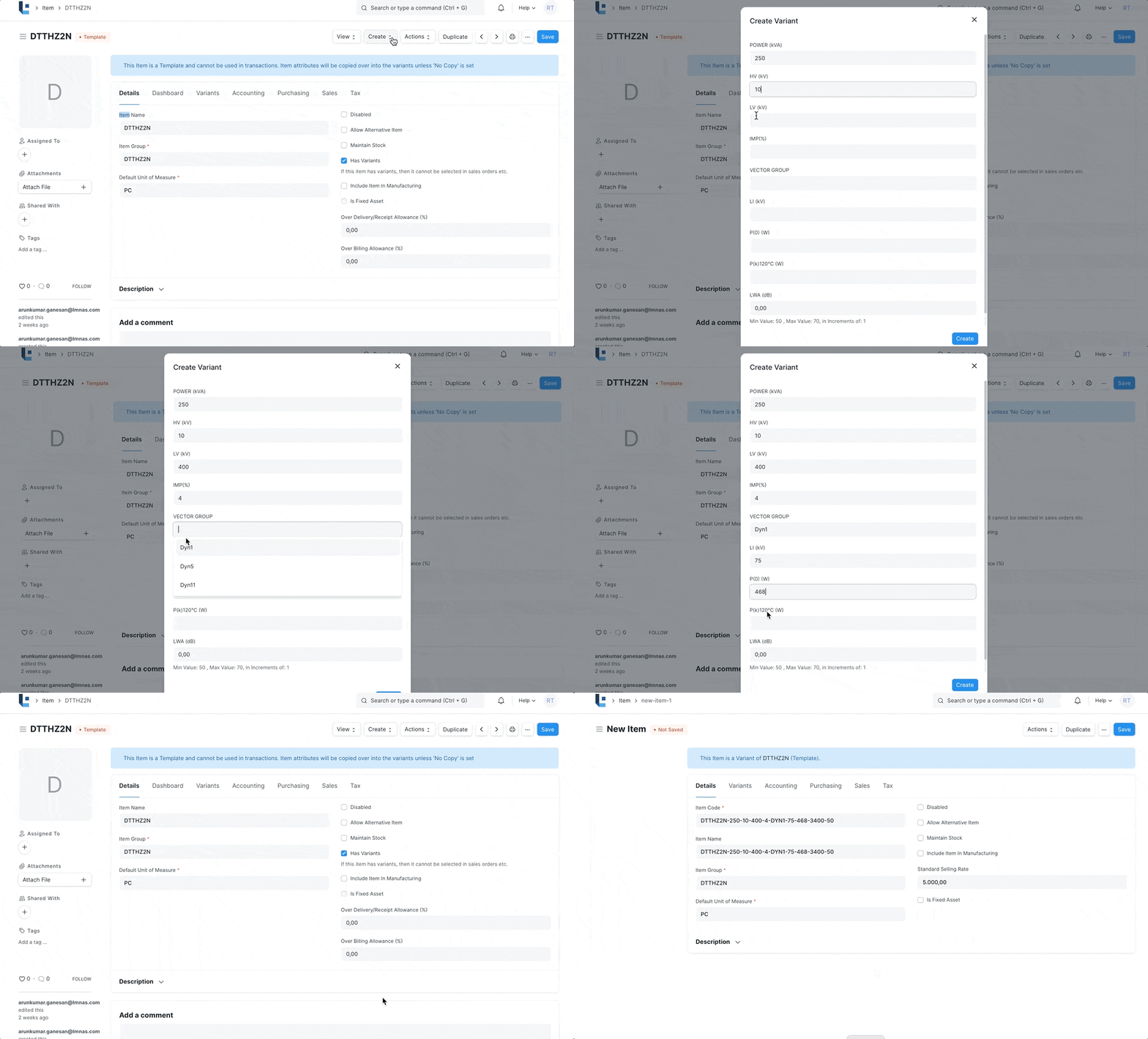
- To create 'Item Variants' against a 'Template' enter inside the Template Item > Create > Single Variant.
- Now assign the Attribute Values against each of the attribute in the attributes dialog. For example, Power(kVA) = 2000, HV(kV)= 20, LV(V) = 420 etc..
- Click Save
- Item Description will be automatically generated with a pre-defined format.
2. Features
- Only Variant Item can be used in offer
- Each Variant Item can have its own and multiple price.
- A pre formatted Item Description will be automatically populated. You can add more descriptions according to the Item Specifications. This description will be automatically fetched in the Offer
3. Related Topics
Was this article helpful?
No comments yet. Login to start a new discussion Start a new discussion